/
Beyond digitization: working with an AI assistant on top of your business Applications
AI IN PRACTICE
Beyond digitization: working with an AI assistant on top of your business Applications
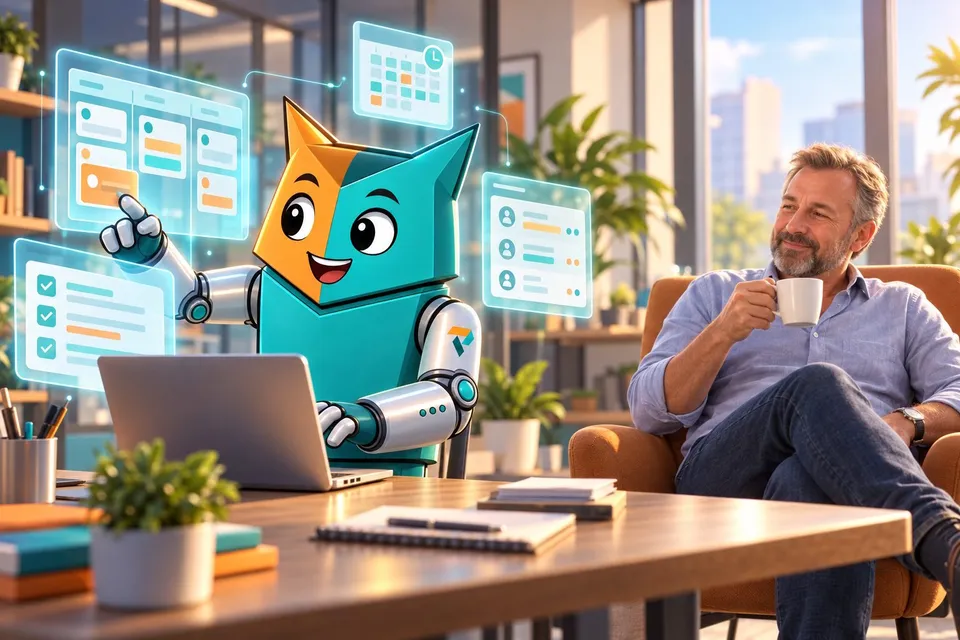
A customer email comes in. Five minutes later, the project is set up in Connect, our in-house application, and colleagues can log hours on it. Add the tasks in Jira and it takes fifteen minutes. Meanwhile, I was drinking my coffee. That's how we've been working at Profility for a year now. This is the step after digitization.

On this page
▾


Let's talk
Tell us what you're running into today, and we'll explore what's possible together.
Book an intro callIn short
Digitization makes your work in your applications more efficient. The next step is not having to open those applications yourself as often.
An AI assistant connected to your applications handles the admin work across your systems.
Treat it like a new colleague: check and correct a lot at first, and trust grows from there.
Put your rules in the core instructions, not in the chat. The key user should be able to update them on their own.
Every application needs an MCP for this. After that come agents that work on their own.
What's the step after digitization?
A lot of companies today are working on step one. They have applications and want to use them more efficiently. I wrote about that earlier in our article on business process digitization. That's valuable work, but the next step looks different.
In that next step, you use your applications less yourself. An AI assistant does it for you. You ask for what you need, and it looks it up, fills it in, and gets it ready in the right application. The AI assistant becomes what the browser is for the web: the place where you work, while the applications run behind it. As a result, each application's screens matter less and less.
For business owners who handle everything themselves from morning to night, and for anyone who keeps track of invoicing and scheduling every day, that mostly means this: less admin, and getting more out of the systems you already have.
How does my workday start?
I no longer start my day in my inbox, but with Kai, our AI assistant. Kai works with a fixed set of instructions. He answers internal emails and drafts replies to customer emails for me.
How does one email become a project in five minutes?
Take a new project. The customer's purchase order is in my inbox. I type one sentence: "look at my latest email and create that project," along with the name of the colleague who'll do the work. Then Kai gets to work:
he pulls the customer details from the purchase order;
he checks whether the customer already exists;
he looks for context in our CRM, like the notes from the sales meetings, so the project gets the right titles;
he creates the project in Connect;
then he sets up the user stories in Jira, the tasks we break the work into, based on the main points of the quote.
Connect is the name we gave our in-house application: a Power App combined with Dynamics 365 Sales that runs our entire internal operation.
Five minutes later, the project is ready. Colleagues can log hours on it, and invoicing is all set. With the user stories in Jira, it takes fifteen minutes. Meanwhile, I had my coffee in hand.
What if the assistant talks to multiple systems?
Kai isn't tied to a single application. He also talks to our accounting system and our HR system. That's when it gets really interesting, because you get combinations you'd never have in one application. An email about a new project also becomes a check on whether the colleague I had in mind is on vacation, so we pick the right person and the right schedule.
How do you learn to trust an AI assistant?
Trust in an AI assistant grows the same way it does with a new colleague. At first, you check a lot and correct it often. The longer you work together, the better you know which requests still need a second look.
One thing remains a job for a human. Kai knows what was said in a sales meeting, and he knows what's in the quote. Those two aren't always the same: sometimes something was agreed on that isn't in the quote, or the other way around. That's something you check yourself.
Where do you fine-tune an AI assistant?
What Kai needs to know goes in his core instructions. We keep those in an internal wiki, and they're easy to change. You can also correct him in the chat, but that's more about the content of recent projects than about standing rules. The assistant's memory helps, but important rules belong in the core instructions.
Here's an example: we always work with day rates, never hourly rates. If that isn't written down anywhere, an assistant goes by whatever rate it finds in a quote or email. That's how an hourly rate can end up in a quote or a schedule. The customer then sees an amount that doesn't exist at our company, and you get to fix it afterward. It's the same kind of rule you agree on with your colleagues: a new colleague hears it in their first week, while an AI assistant needs it in black and white. You put a rule like that in the instructions once.
The person who works with it every day, the key user, should be able to make small adjustments like these on their own.
What do your applications need for this?
If you open your applications yourself less and less, the AI assistant has to be able to access them. For that, every application needs an MCP: a standard way for an AI assistant to carry out a task inside that application. To see why that should be a requirement for every new application, read why every application you commission today needs an MCP. How it works technically with Dynamics 365 and Power Apps is explained in our article on MCP. You can also open up data from outside your company this way, like company data from the KBO, the Belgian company register, with Kai Business Data.
What's the next step?
An assistant waits for your question. An agent works on its own. That's what we're working on now. One example: every Monday morning, an overview per salesperson, with charts and numbers, but also with the substance: where each opportunity stands, what was said, and what was discussed in meetings. To see what agents can do for your team, check out our AI & Agents page.
Where do you start with an AI assistant?
Start with one application. Connect it to your AI assistant, let a key user fine-tune the instructions until it runs smoothly, and then add the next one. Step by step, you'll spend less time on admin and get more out of your systems.
Want to know where you could start? Tell us briefly about your situation. It helps to mention:
which applications your team uses every day;
which admin work takes up the most time;
who works with those applications;
whether those applications are already connected to other systems;
which task you'd hand to an AI assistant first.
The step after digitization is smaller than it looks: one application, one task, one key user. Curious where you could start? Let us know, and we'll take a look together.
Want to run it by us?
Tell us about your situation, and we'll look at what's possible for your business together. No sales pitch.
Book an intro callThis article is part of
AI and Agents
Put AI to work for you: a digital coworker that carries out tasks in your Microsoft apps, follows up, and talks to your data.
Explore AI and AgentsKeep reading

CRM AND ERP
A CRM alongside your ERP: why you don't have to keep track of anything twice
You've been working in an ERP like Business Central for years. Adding a CRM sounds like a second system where you keep track of everything twice. It doesn't have to be: agree on which system manages each piece of data, and each system does its own part.
AI IN PRACTICE
Every application you commission today needs an MCP
If you're having an application built today, whether fully custom or on the Power Platform, there's one question many clients still don't ask: does it have an MCP? Without one, an AI agent can't work for you inside that application. If you want to build for the future, it's non-negotiable.
POWER APPS IN 2026
Are canvas apps dead? AI changes the trade-off
For years, writing less code was the case for canvas apps. But what if AI writes that code? Are canvas apps dead? No. But choosing canvas by default is.