/
AI that actually helps: use MCP to let ChatGPT or Claude work with Dynamics 365, Power Apps, and Dataverse
AI in practice
AI that actually helps: use MCP to let ChatGPT or Claude work with Dynamics 365, Power Apps, and Dataverse
How do you get AI to do more than generate text? MCP lets you connect AI securely to your Microsoft systems. Profility shows you how and shares an open source template so you can get started right away.

On this page
▾


Let's talk
Tell us what you're running into today, and we'll explore what's possible together.
Book an intro callIn short
With MCP, AI takes real action in your Microsoft systems instead of just producing text.
The AI works with the user's permissions, so it stays within your existing security.
Profility published an open source .NET 8 template with Entra ID to help you get started fast.
AI only becomes truly useful when it takes work off your plate. With the Model Context Protocol (MCP), tools like ChatGPT or Claude can do more than answer questions: they can actually take action in Microsoft Dynamics 365, Power Apps, or Dataverse. At Profility, we believe in sharing what we know, so we released an open source .NET template with Entra ID integration that makes this fast and secure to set up.
From AI to action: what if your chatbot could actually get things done?
Lots of organizations are experimenting with AI assistants, but most bots never get past answering questions. What if your AI could also do the work? Think of things like:
An employee tells ChatGPT, submit my time-off request for next week, and the AI files it in the internal system.
After a sales meeting, Claude summarizes the conversation, and the visit report shows up automatically as an appointment in Dynamics 365.
A manager asks which customers have been waiting more than ten days for a quote?, and the query runs and returns the list.
AI spots the key points in an email and automatically creates a task in your CRM or Teams.
With secure permission, ChatGPT gets access to Dataverse and fills in missing customer data.
That's MCP in action: the bridge between AI and your Microsoft environment.
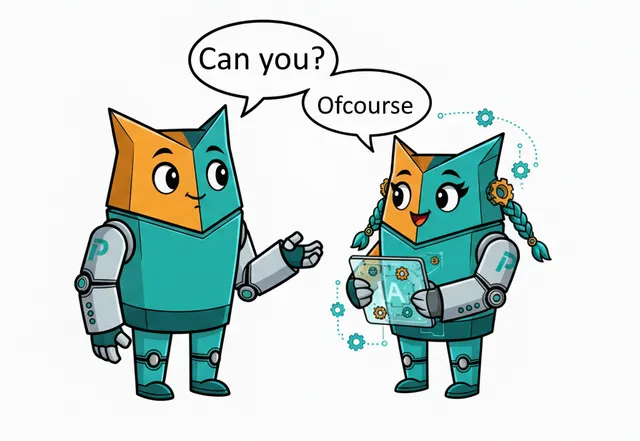
What is MCP, and why does it matter?
MCP, the Model Context Protocol, is an open standard that lets AI assistants work with digital tools in a controlled way. Instead of just generating text, an AI model with MCP can request an approval, look something up in your CRM, or kick off a workflow in Power Platform.
The key difference: the AI takes action under supervision and with the permissions of a specific user. Everything stays secure, transparent, and within the limits of your existing Microsoft security. With MCP, AI stops being a toy and becomes a real coworker.
Profility shares its expertise: an open source template with Entra ID
At Profility, we've spent years optimizing processes in Microsoft Dynamics 365, Power Apps, and Dataverse. We strongly believe AI can speed things up, as long as it's well integrated and properly secured.
That's why we published an open source starter template for building a secure MCP server:
built in .NET 8 for speed and easy maintenance
secured with Microsoft Entra ID, the successor to Azure AD
tested with Claude AI and ready to use with ChatGPT through a connector
fully open source, free to use with no license fees, and easy to adapt to your needs
Who is this for?
Our approach is aimed at organizations that want AI to be a working layer on top of their Microsoft systems, that see value in internal automation, customer service, reporting, or HR, and that care about security, control, and scalability.
You don't need to be a developer. We can guide you from idea to implementation, or give you a head start with our open source foundation if you'd rather build it yourself.
Ready to put AI to work?
AI can do more than brainstorm or write text. With MCP, AI becomes a working layer on top of your Microsoft platform. Profility makes it concrete and accessible, with advice, implementation, and a ready-made template to get started right away. Want to see what that looks like for us every day? Read about working with an AI assistant on top of your business apps.
Check out our template on GitHub: github.com/Profility-be/mcp-server-dotnet-entra-id. Or get in touch if you'd like to explore MCP in your organization. Wondering what your own app needs before an agent can work with it? Read why every app you commission today needs an MCP server.
Want to run it by us?
Tell us about your situation, and we'll look at what's possible for your business together. No sales pitch.
Book an intro callThis article is part of
AI and Agents
Put AI to work for you: a digital coworker that carries out tasks in your Microsoft apps, follows up, and talks to your data.
Explore AI and AgentsKeep reading
CRM AND ERP
A CRM alongside your ERP: why you don't have to keep track of anything twice
You've been working in an ERP like Business Central for years. Adding a CRM sounds like a second system where you keep track of everything twice. It doesn't have to be: agree on which system manages each piece of data, and each system does its own part.
AI IN PRACTICE
Beyond digitization: working with an AI assistant on top of your business Applications
A customer email comes in. Five minutes later, the project is set up in Connect, our in-house application, and colleagues can log hours on it. Add the tasks in Jira and it takes fifteen minutes. Meanwhile, I was drinking my coffee. That's how we've been working at Profility for a year now. This is the step after digitization.
AI IN PRACTICE
Every application you commission today needs an MCP
If you're having an application built today, whether fully custom or on the Power Platform, there's one question many clients still don't ask: does it have an MCP? Without one, an AI agent can't work for you inside that application. If you want to build for the future, it's non-negotiable.