DYNAMICS 365 SALES
Microsoft Dynamics 365 CRM: one place for your customers, your sales, and your follow-up
Microsoft Dynamics 365 CRM brings your contacts, sales, follow-up, and marketing together on one Microsoft platform. Tighter follow-up, and decisions based on numbers instead of gut feeling.
Book a free intro callWhy companies look for a CRM
It usually starts with a nagging sense that you've lost the big picture. A sales manager wants to lead the team better: which opportunities are open, are they being followed up fast enough, and what actually happens after a quote goes out? Without a central system, leads sit untouched, follow-up fades, and nobody can see what the sales team is doing.
A second reason often goes hand in hand with the first: the company is growing, or wants to step up its sales efforts. More customers, more contacts, and more follow-up call for structure.
Dynamics 365 brings order and clarity. One shared view of every customer, tight follow-up on every opportunity, and insight into what your team does and delivers. So you make decisions based on numbers, not gut feeling.
Do your quotes tend to stall once they've been sent? Read how to get your team to follow up on quotes better.
What we build
What we build on Dynamics 365 and the Power Platform
A CRM isn't finished until it fits the way you sell and follow up. Here's what we build, all on the same Microsoft foundation.
Sales follow-up all the way to signature
From lead to quote to contract, with a clear view at every moment of which opportunities are open and who's following up.
Follow up on leads and quotes →See a sales app in a showcase →A CRM connected to your ERP
Customers, contacts, and products come from your ERP, so you don't end up with a second customer database. At Transmare Chemie, the CRM connects directly to Business Central.
How Transmare connected CRM and Business Central →Customer cases across every channel
Every phone call, email, and web form belongs to a single case, so whoever takes over sees the complete history.
Read the Energiehuis SOLVA case study →Processes in clear stages
Each process has its own steps, with automatic tasks, notifications, and Outlook appointments whenever a case moves to the next step.
Four processes in one CRM at 3Wplus →Emails and appointments land in the CRM automatically
Your sales reps keep working in Outlook. With one click, they link an email or appointment to the customer or quote, so the CRM keeps track of what happened without any extra typing.
Moving an outdated CRM to the cloud
Is your CRM still running on an old Dynamics version that Microsoft no longer supports? We migrate your data and history to Dynamics 365 or a lighter CRM on the Power Platform, and we take the opportunity to check which ways of working still make sense.
What you can do with Dynamics 365 Sales
Manage organizations and contacts
The foundation, and often the first reason to get a CRM: all your organizations and contacts in one place and up to date, with their full history at your fingertips. Everyone works with the same, accurate data.
What a customer management system should do →Sales and follow-up
Manage your leads, opportunities, and sales pipeline, and stay on top of every deal. What happens after a quote? Which activities are scheduled? Where's the potential? Your sales manager steers by real numbers.
We even write our visit reports with help from AI →Case management and customer service
Track customer questions and cases from start to finish, across every channel. Nothing slips through the cracks, and you help customers faster and more personally.
An AI agent that helps follow up on your cases →Marketing
Set up targeted campaigns and customer journeys, and pass warm leads on to sales. For email marketing, we work with Touchdown or Dynamics 365 Customer Insights.
Start light, grow into Dynamics 365
Not every organization needs the full Dynamics 365 right away. If it's mainly about managing contacts and follow-up, a lighter CRM on the Microsoft Power Platform can do the job perfectly well, and save you a lot on license costs.
It's still a standard, secure Microsoft solution that grows with you: when your needs expand, you move up to the full Dynamics 365 with ease. You never pay for more than you need, and you're always on the Microsoft platform.
See our Power Apps CRM →Which type of CRM fits your SME? →Discover custom development and Power Apps →Who is this for?
Sound familiar? Your sales manager wants better visibility into and control over the team and the pipeline, opportunities and quotes aren't followed up consistently, or your company is growing and the way you work today doesn't scale with it. From a small team looking for structure to a complex organization with several departments, we scale the solution to what you need.
Our approach
We start with your process, not the software. We listen, ask the right questions, and configure Dynamics 365 so it truly fits the way your teams work. We build thoughtfully, so it grows with you and stays reliable. And where the standard features fall just short, we extend them with custom development on the Power Platform.
Articles on Microsoft Dynamics 365
QUOTE FOLLOW-UP
Quote follow-up: how can a sales manager get a better overview?
In the sales meeting, you go through the open quotes one by one. Someone gives an update, someone digs through their inbox, someone changes a date in Excel. By the end, you know where everyone stands again. But it took a big chunk of the meeting to get there. As a sales manager or business owner, you want that overview between meetings too. You want to see where a deal stalls, notice when a sales rep is stuck, and step in while there's still something to win.
CHOOSING A CRM
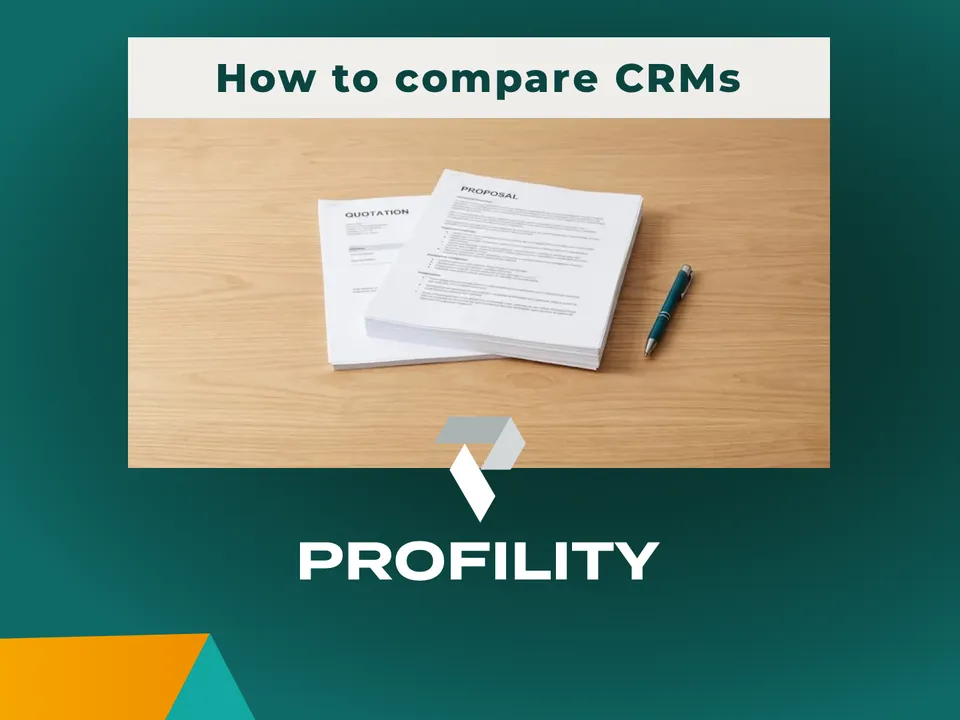
Choosing a CRM for your SME: three types compared, and what they cost
You're looking for a CRM. Maybe each of your salespeople works their own way today, and important customer knowledge is scattered across different laptops. Or your sales team is growing and you're slowly losing track. Search Google for CRM software and you'll quickly land on comparison sites, foreign software packages, and advice written mostly for the market in the Netherlands. So which type of CRM fits a small business in Flanders with ten to a hundred employees? Three questions, three types, and a guideline for the cost.
CUSTOMER MANAGEMENT
What is a customer management system and what should it do?
Plenty of organizations say they need a CRM. Ask a few more questions and you usually hear the same needs: knowing who your customers and other contacts are, who works there, what was agreed, and when someone needs to get back in touch. That's customer management. It sounds simple, but a customer list isn't a customer management system yet. A good system brings data, communication, and follow-up together and makes sure everyone works from the same reliable information.
More articles
Quote follow-up: how can a sales manager get a better overview?
QUOTE FOLLOW-UP
›
Choosing a CRM for your SME: three types compared, and what they cost
CHOOSING A CRM
›
What is a customer management system and what should it do?
CUSTOMER MANAGEMENT
›
Why marketing matters in sales
Sales and marketing
›
Bringing sales and marketing together in Dynamics 365
Sales and marketing
›
Adobe Sign works with Dynamics 365
Integrations
›
Discover the marketing module in Dynamics 365
Marketing
›
How do you centralize your business data?
Business data
›
Soon, anyone will be able to vibe-code. We make sure it scales, stays secure, and keeps working.
With AI, anyone can quickly build their own list or tool next to the CRM. We make sure your customer data stays in one place, stays secure, and that your solution grows with your business.
Ready to get your follow-up and customer management in order?
Tell us how you handle follow-up today, and together we'll look at what Dynamics 365 (or a lighter Microsoft CRM) can do for you.
Book a free intro call